
Chart of Accounts
The Chart of Accounts defines the complete set of financial accounts used by the company to classify, record, and report all accounting transactions.
How to Create a New Chart of Accounts:
- Go to Master Data Files
- Click Accounting Parameters
- Click Chart of Accounts
- Click Create New (F1)
- Enter the details for the new account.
- Click Save
Visual Guide
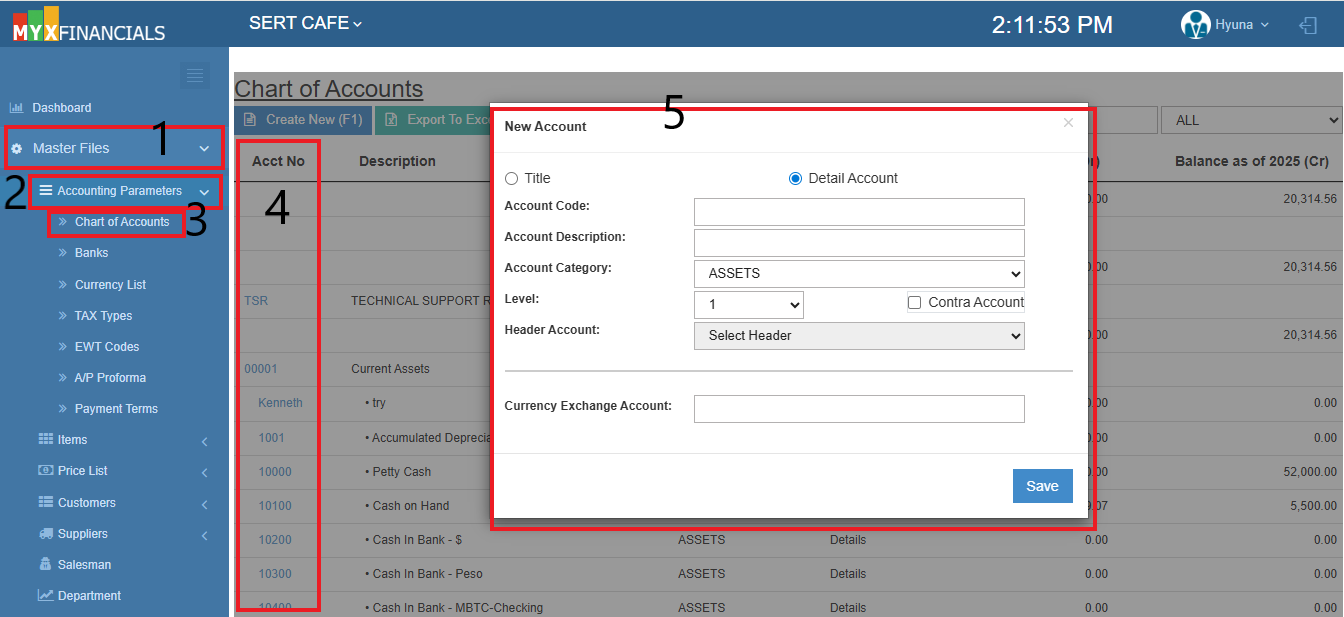 Figure 1: Locate the Accounting Parameters under Master Data Files.
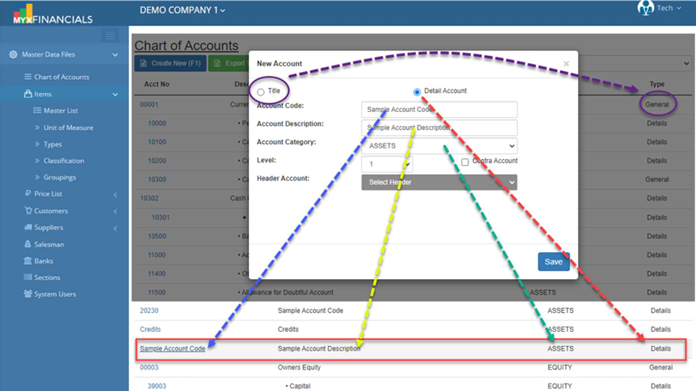 Figure 2: The account details entry screen.
💡 Tip: Remember that you can use the F1 shortcut key to quickly open the "Create New" window without clicking!
How to Update a New Chart of Accounts:
- Go to Master Data Files
- Go to Accounting Parameters
- Click Chart of Accounts
- Click blue font text or the Acct No.
- Enter the updated details for the new account.
- Click Update
Visual Guide
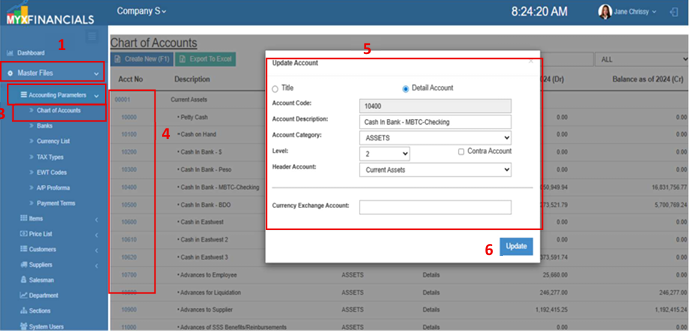 Figure 3: Update an existing Chart Of Account.