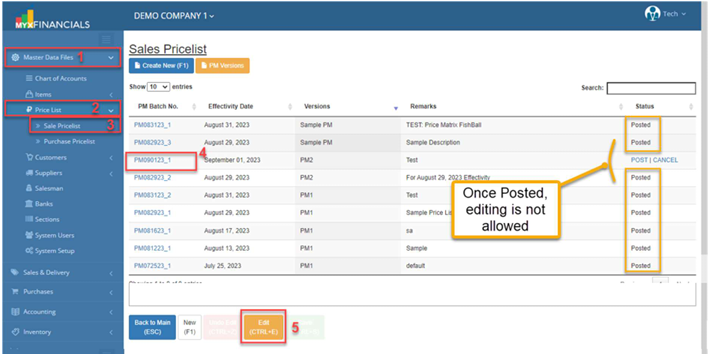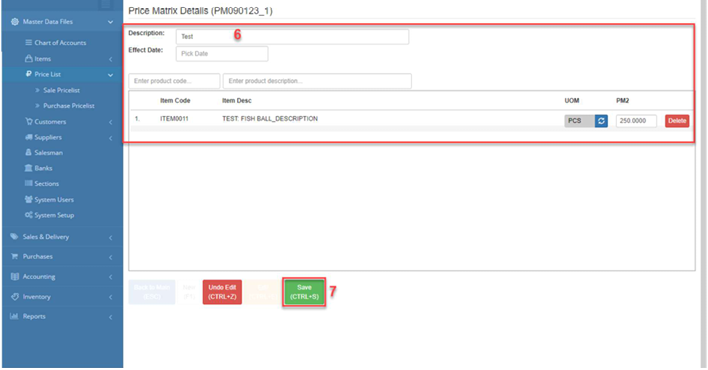
Sales Pricelist
The Sales Price List, also known as the Price Matrix, stores structured pricing rules for items. It ensures consistent and accurate pricing across all sales transactions in the ERP system.
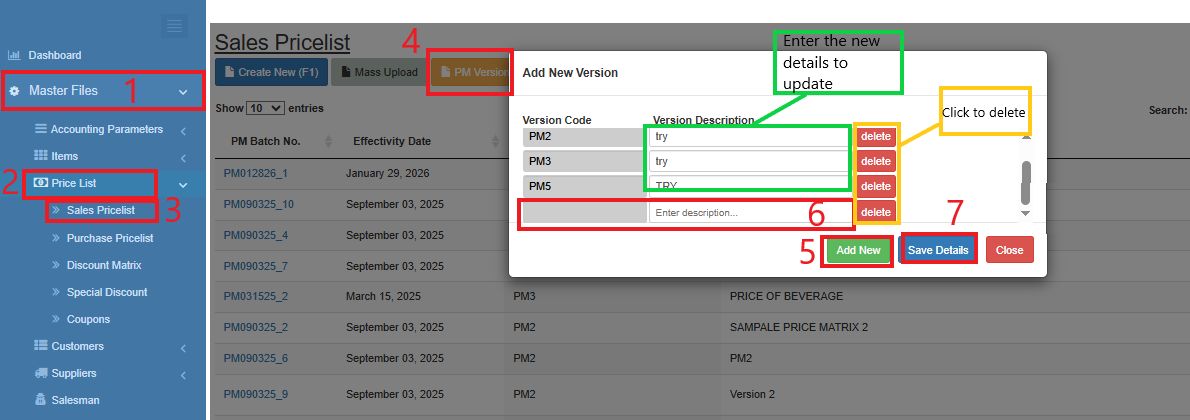
How to View and Add New PM Versions:
- Go toMaster DataFiles.
- ClickPrice List
ClickSale Pricelist
ClickPM Version
ClickAdd New
Enter the new Version Code and Version Description
Click Save Details.
To delete specific PM Version, just click delete.
To update, just enter the updated details of Version Description Only the Version Description can be update.
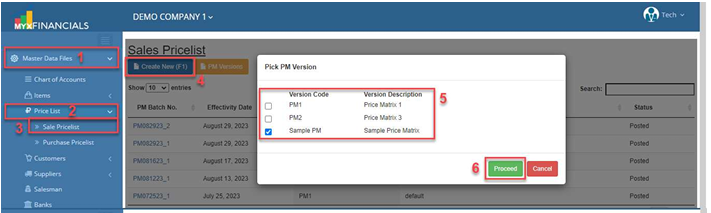
How to Add New Price Matrix :
- Go toMaster DataFiles.
- ClickPrice List
- ClickSale Pricelist
- ClickCreate New (F1)
- SelectPM Version
- ClickProceed
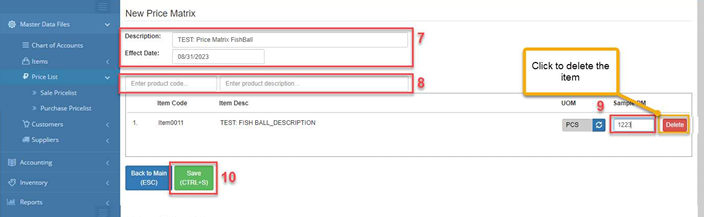
- Enter the Description and Effect Date.
- Enter the product code or description to select the item.
- Enter the price matrix of the item.
- ClickSave
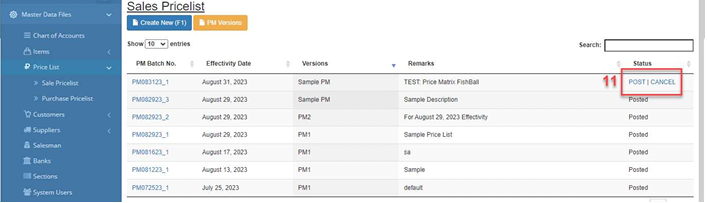
- ClickPost
How to Update the Price Matrix :
- Go to Master Data Files.
- Click Price List
- Click Sale Pricelist
- Select PM Batch No. and click the blue text icon.
- Click Edit
- Enter the new details of the price matrix.
- Click Save (CTRL+S)
o Once the status is Posted,editing is not allowed