Department
Departments define organizational units used as cost centers in the ERP system. They are referenced in transactions to accurately allocate and monitor costs and expenses.
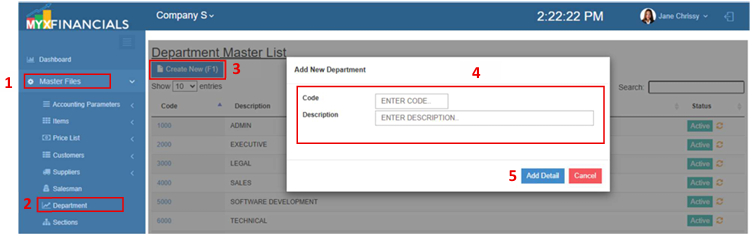
How to Create a New Department :
- Go to Master Data Files.
- Click Department
- Click Create New (F1)
- Enter the details of the new Department.
- Click Add Detail
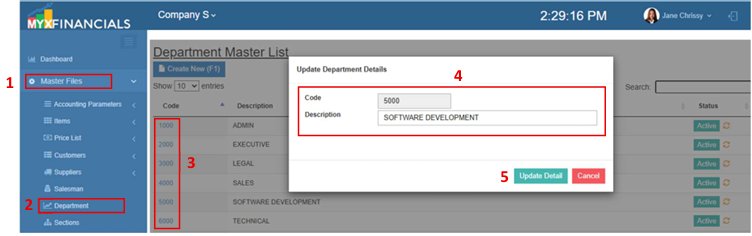
How to Update the Department:
- Go to Master Data Files.
- Click Departments
- Select a section and click the blue font text or Department Code.
- Enter the new details of the department.
- Click Update Detail
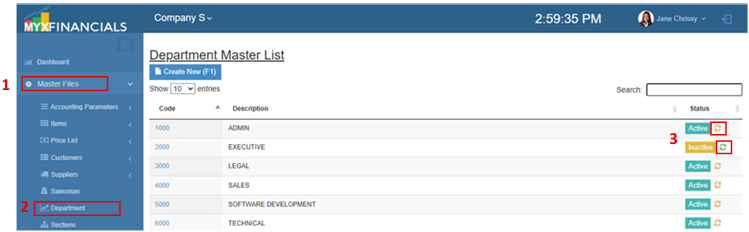
How to Inactive the Department:
- Go to Master Data Files.
- Click Departments
- Click the yellow cycle icon or Inactive
o Click the green cycle icon or Active to activate the item.