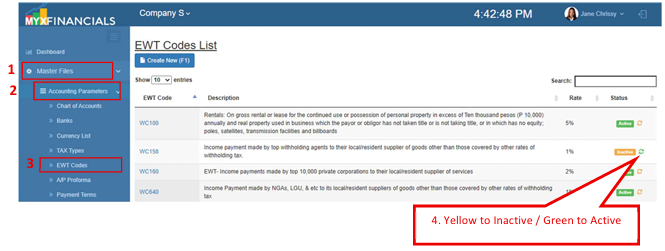
EWT Codes
EWT Codes maintain the Expanded Withholding Tax classifications used by the system. The EWT Codes currently available are based on the most commonly used BIR EWT codes and do not yet represent the complete list issued by BIR.
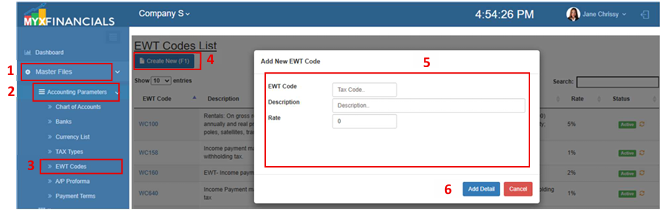
How to Create a New EWT Code:
- Go to Master Data Files.
- Click Accounting Parameters
- Click EWT Codes
- Click Create New (F1)
- Enter the details of the EWT Code.
- Click Add Detail
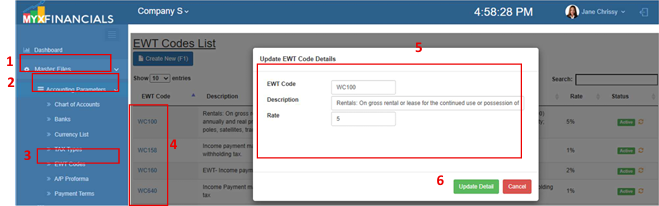
How to Update the EWT Code
- Go to Master Data Files.
- Click Accounting Parameters
- Click EWT Codes
- Select an ewt code and click the blue font text or EWT Code.
- Enter the new details of the EWT Code.
- Click Update Detail
How to Inactive the EWT Code
- Go to Master Data Files.
- Click Accounting Parameters
- Click EWT Code
- Click the yellow cycle icon or Inactive
o Click the green cycle icon or Active to activate the item.