
Suppliers Invoice
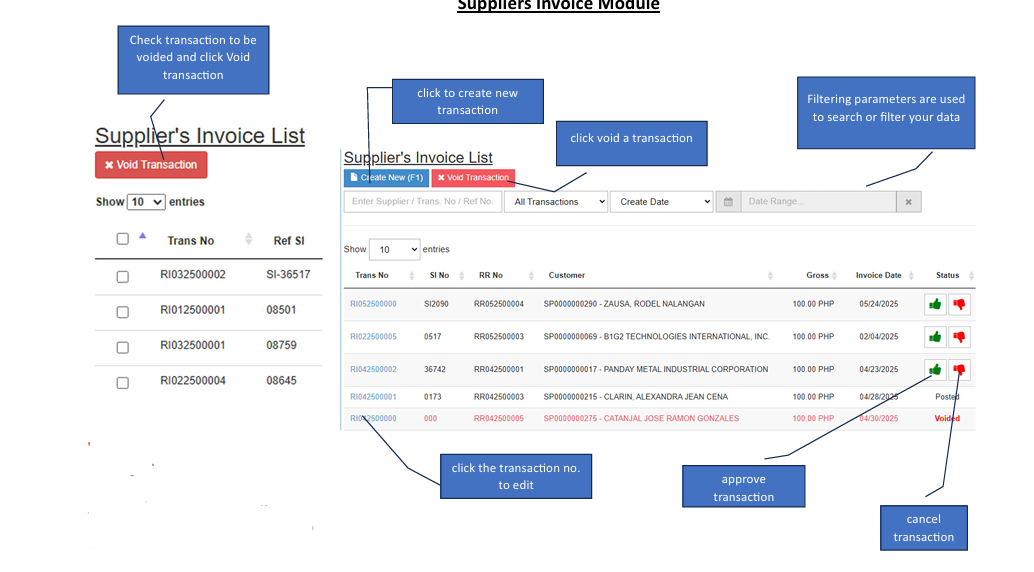
✔️ Only transactions without reference or with cancelled reference in AP Voucher and Adjustment will be available for un-posting.
How to Create a New Transaction
Click the Create Button Start by clicking the
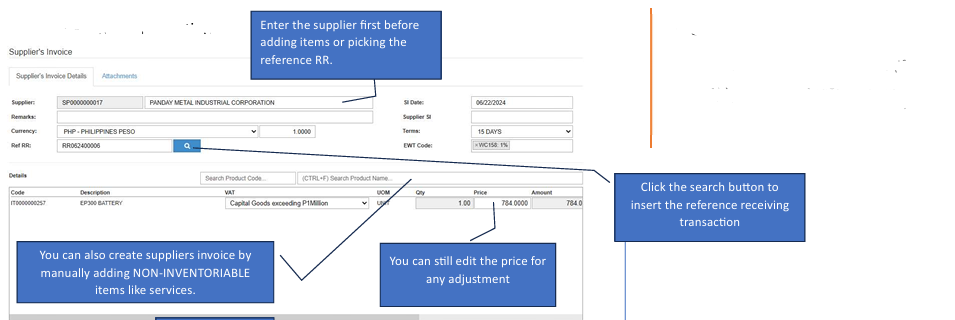
+ Createbutton located at the top right of the module to open a fresh invoice form.Select the Supplier Enter the supplier details first. This must be done before adding items or picking a reference RR to ensure the data maps correctly.
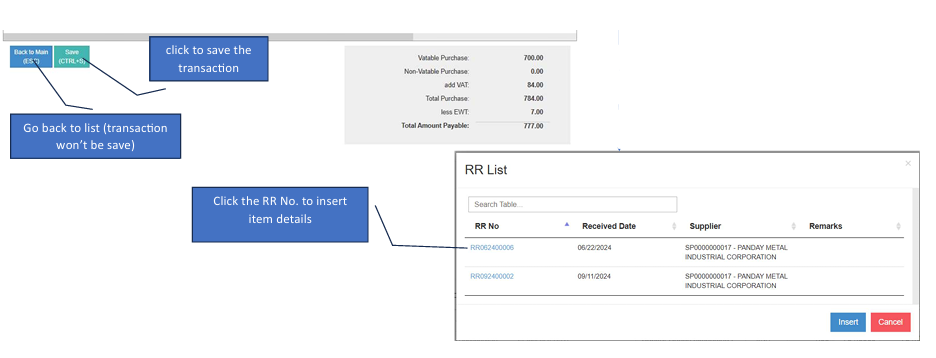
Insert Reference (Optional) Click the
Searchbutton to pull in a reference receiving transaction (RR).Add Items Manually You can also create an invoice by manually adding NON-INVENTORIABLE items, such as services.
Adjust Pricing If necessary, you can still edit the unit price for any final adjustments before saving.
How to Edit a Transaction
If you need to make changes to an existing invoice, follow these steps:
Enter Edit Mode Click the
Editbutton to unlock the form fields.Verify Account Titles Ensure all line items have their corresponding account titles assigned; otherwise, the transaction may not post correctly.
Save or Cancel
Save Button: Click this once you have finished your changes (only active in Edit Mode).
Red Button: Click this if you wish to discard changes and exit edit mode.