
Sales Return
Sales Return is used to process items returned by customers, automatically adjusting your inventory and accounts receivable.
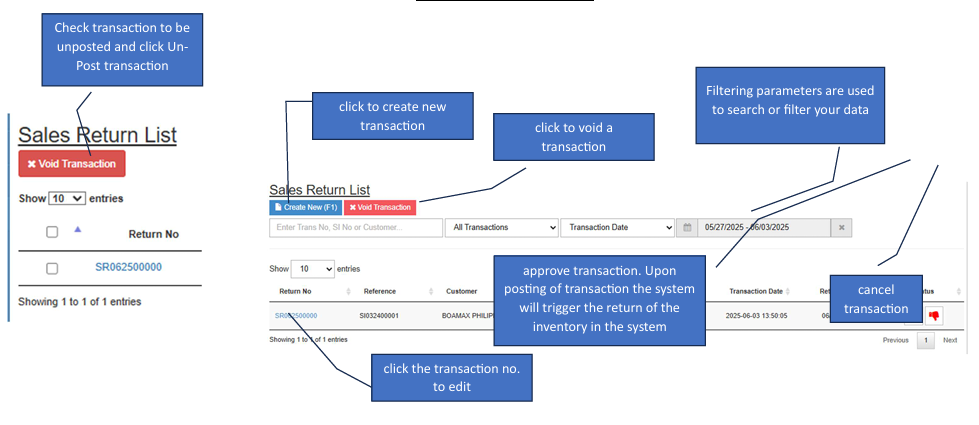
✔️ Note: Only transactions without a reference (or with a cancelled reference in Adjustments) will be available for unposting.
How to Create a New Transaction
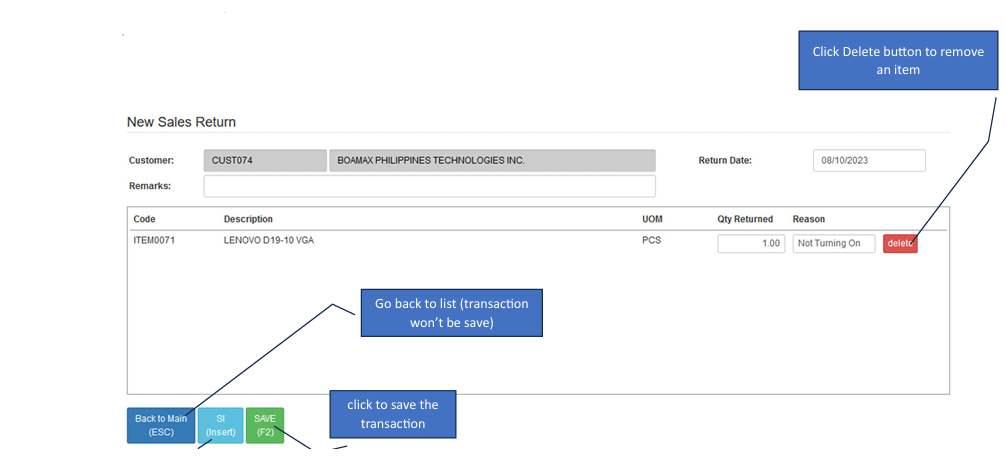
Start the Entry: Click the Create New button to open the form.
Select Customer First: Search for and select the Customer name. You must do this before attempting to pull invoice details.
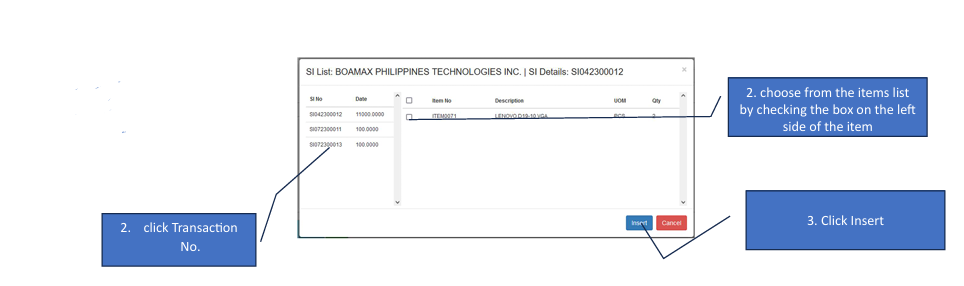
Insert Sales Invoice (SI): Click the SI (Insert) button. A window will appear showing the customer's transaction history.
Choose the Transaction: Click the specific Transaction No. from the list that contains the items being returned.
Select Items: Check the boxes on the left side of the specific items you wish to return, then click Insert.
Save: Review the quantities and totals, then click the Save button.
How to Edit a Transaction
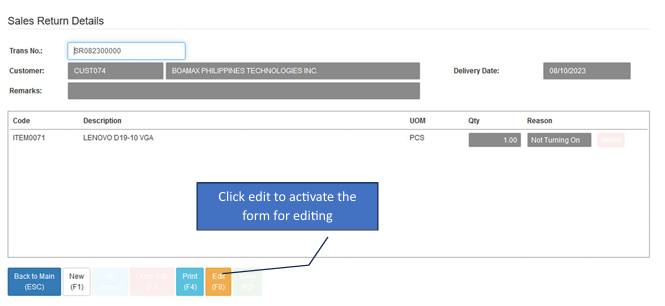
Enter Edit Mode: Click the Edit button to activate the form.
Modify Items : Add More> Click SI (Insert) again to pull additional items from a Sales Invoice. Remove Items: Click the Delete button next to a line item in the details section to remove it from the return.
Undo or Save : Undo Edit> Click to cancel your changes and revert to the original state. Save: The Save button will activate once you are in editing mode. Click it to finalize your changes.