Inventory Transfer
The "inventory transfer" refers to the process of moving products or goods from one sec on to another within the same organiza on or company. This transfer can occur for various reasons, such as redistribu ng stock to meet demand in different loca ons, consolida ng inventory for cost-efficiency, or managing excess inventory. Inventory transfers are essen al for maintaining accurate inventory levels and ensuring that products are available where and when they are needed.
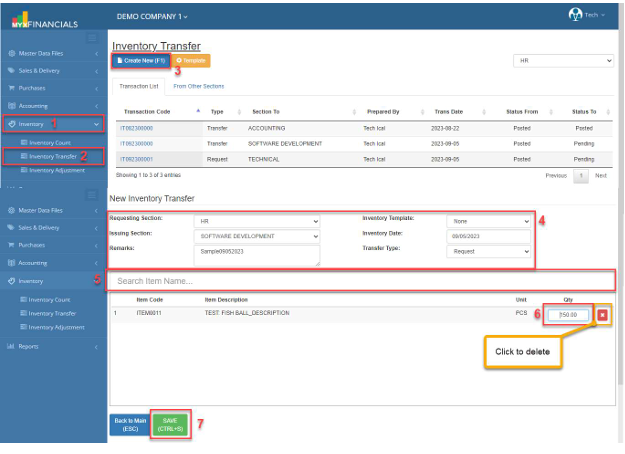
How to Add New Inventory Transfer:
- Go to Inventory
- Click Inventory Transfer
- Click Create New (F1)
- Enter the Requesting Section, Issuing Section, Remarks, Inventory Template, Inventory Date and Transfer Type.
- Select an item
- Enter the amount in Qty (Quantity)
- Click Save (CTRL+S)
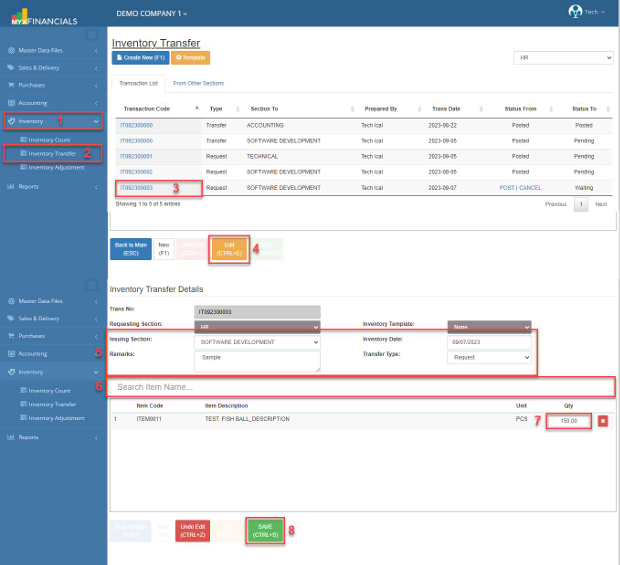
How to Update the Inventory Transfer:
- Go to Inventory
- Click Inventory Transfer
- Select and click the Transaction Code.
- Click Edit (CTRL+E)
- Enter the new details for Issuing Section, Remarks, and Inventory Date and Transfer Type.
- You can also add another item. Enter the Item Code or Description.
- Enter the new Qty (Quantity) of the item.
- Click Save (CTRL+S)
✔️ o Posted Inventory Transfer is not allowed to be updated.
✔️ o Grayed out is not allowed to be updated.
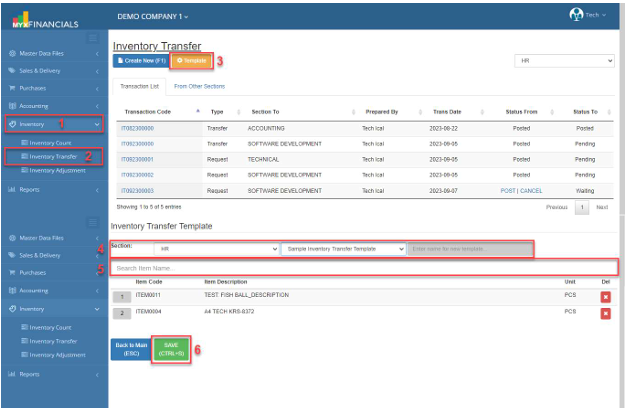
How to Add New Template in Inventory Transfer:
- Go to Inventory
- Click Inventory Transfer
- Click Template
- Select Section, New Template, and enter the name of the new template.
- Select an item.
- Click Save (CTRL+S)
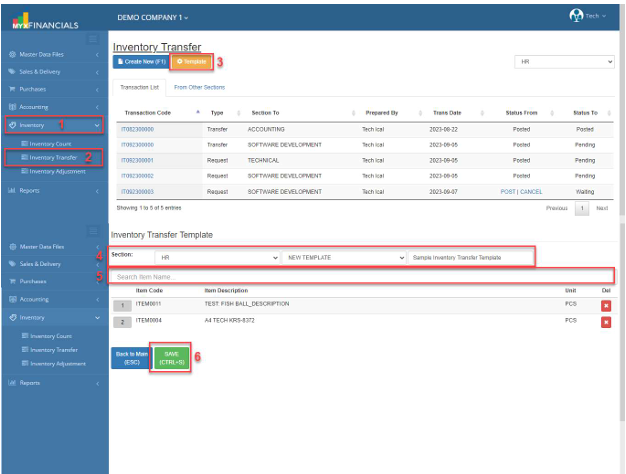
How to Update the Template in Inventory Transfer:
- Go to Inventory
- Click Inventory Transfer
- Click Template
- Select the Section you want to update the template. Then select the created template.
- Select a new item to be included in this template.
- Click Save (CTRL+S)
o Click x icon to delete item.